
Live Shopping Technology: Complete Guide to Retailtainment in 2025
Technical overview, market analysis, implementation guide, and future trends
Table of Contents
- Executive Summary
- Market Overview & Growth Projections
- What Is Live Shopping Technology
- Technical Architecture
- Key Components & Features
- Implementation Process
- Benefits & ROI Analysis
- Industry Applications
- Case Studies
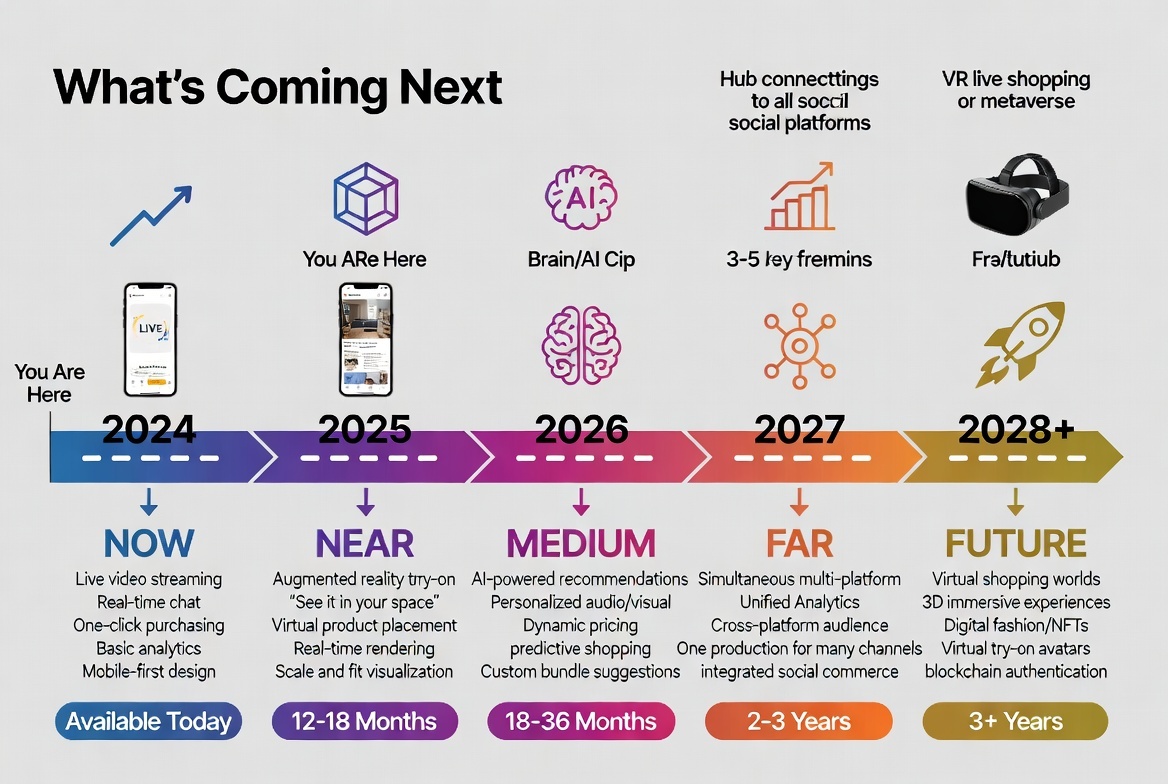
- Future Innovations
- Getting Started Guide
- Resources & Tools
Executive Summary
Live shopping technology, also known as “retailtainment,” represents the convergence of live video streaming, social commerce, and instant purchasing capabilities. This comprehensive guide examines the technology, market dynamics, implementation strategies, and future trajectory of live shopping as it reshapes the retail landscape.
Key Findings:
- Global live shopping market projected to reach $600 billion by 2025 (10x growth from 2020)
- US market expected to hit $35 billion by 2024 (3x growth from 2021)
- McKinsey predicts 20% of all e-commerce could be live commerce by 2026
- Live commerce platforms market CAGR: 21.2% (2024-2030)
Target Audience: Retail executives, e-commerce managers, technology decision-makers, digital transformation teams
Market Overview & Growth Projections
Global Market Size
The live shopping market has experienced explosive growth, accelerated by the COVID-19 pandemic and shifting consumer behaviors:
| Year | Market Size | Year-over-Year Growth |
|---|---|---|
| 2020 | $60 billion | Baseline |
| 2021 | $11 billion (US only) | 83% (US) |
| 2023 | $1.1 billion (platforms only) | Platform emergence |
| 2024 | $35 billion (US projected) | 218% |
| 2025 | $600 billion (global projected) | 900% from 2020 |
| 2030 | $3.48 billion (platforms projected) | 216% CAGR |
Sources: Grand View Research, Straits Research, Statista
Market Drivers
Three primary forces drive live shopping adoption:
1. Mobile Commerce Dominance
- 73% of e-commerce transactions occur on mobile devices
- Live shopping platforms are mobile-first by design
- Vertical video format aligns with social media consumption patterns
- 5G network rollout enables high-quality streaming
2. Declining Digital Attention Spans
- Average attention span decreased from 12 seconds (2000) to 8 seconds (2024)
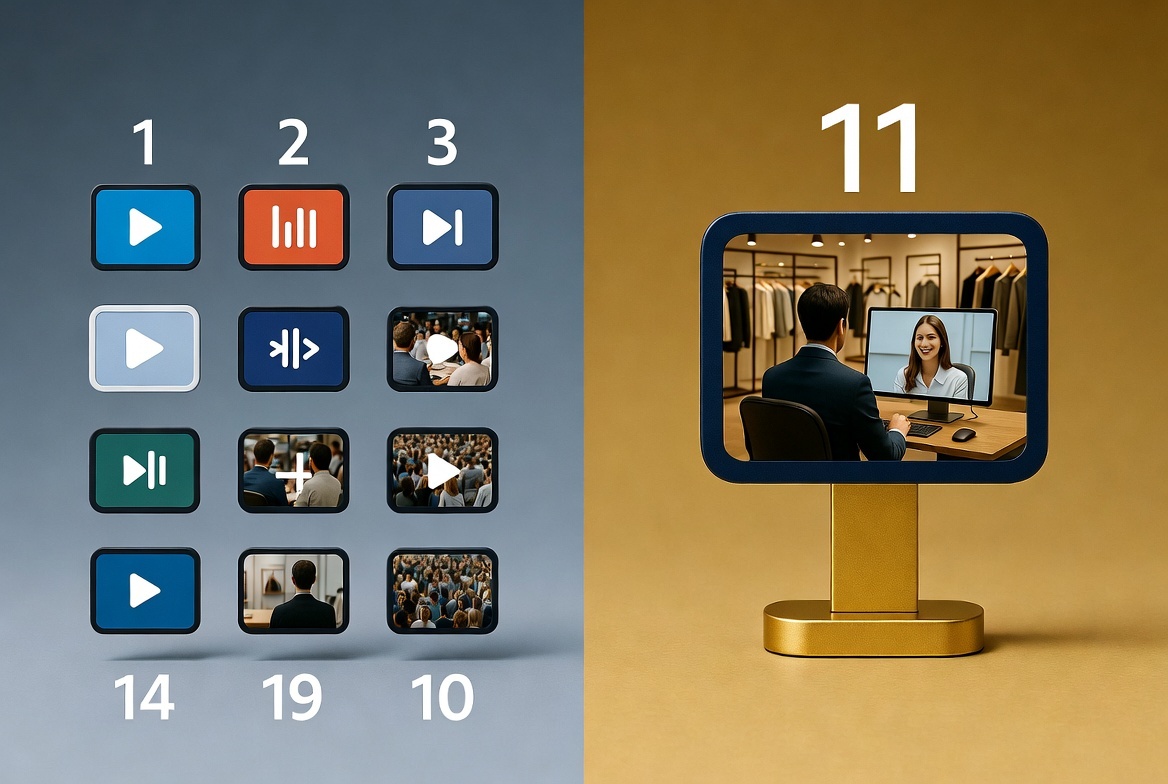
- Traditional e-commerce requires 14 steps from discovery to purchase
- Live shopping reduces friction to 2 steps: watch and buy
- Shorter conversion paths = higher completion rates
3. Authenticity & Trust Economy
- 82% of consumers trust brands more after watching live content
- Gen Z and Millennial consumers prioritize authenticity over polish
- Real-time video demonstrates products better than static imagery
- Live interaction builds community and brand loyalty
Competitive Landscape
Leading Markets:
- China: Most mature market, $500+ billion annually (60% of global)
- United States: Fastest-growing Western market, $35B by 2024
- Europe: Emerging adoption, led by UK, Germany, France
- Southeast Asia: Rapid growth in Indonesia, Thailand, Philippines
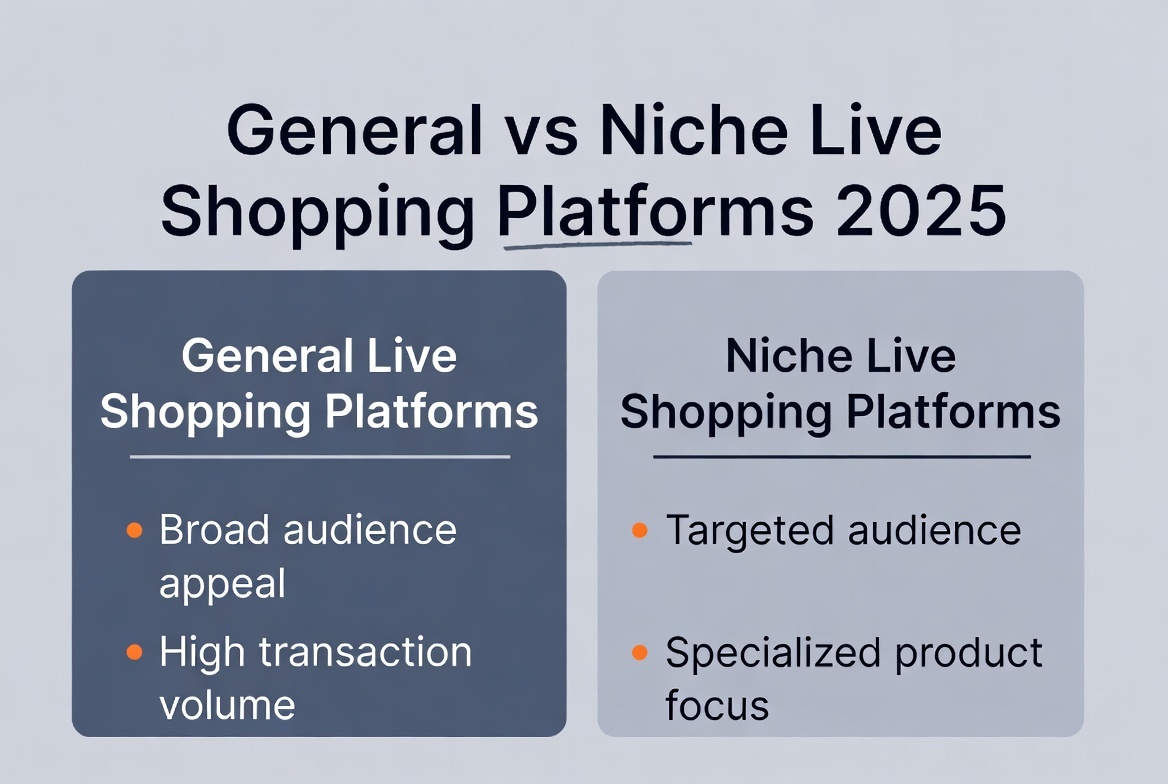
Platform Categories:
- Native social commerce (Instagram, TikTok, Facebook)
- Dedicated live shopping platforms (CommentSold, Bambuser, Immerss)
- Marketplace integration (Amazon Live, Walmart Live)
- Custom enterprise solutions (Salesforce, Shopify Plus)
What Is Live Shopping Technology
Definition
Live shopping technology combines:
- Real-time video streaming (host presents products live)
- Interactive engagement (viewers comment, ask questions, react)
- Instant purchasing (buy directly from video stream)
- Social dynamics (community viewing, shared experience)
- Data analytics (real-time performance tracking)
Differentiation from Traditional E-commerce
| Aspect | Traditional E-commerce | Live Shopping |
|---|---|---|
| Format | Static product pages | Live video stream |
| Interaction | None (self-service) | Real-time Q&A with host |
| Social Proof | Reviews (asynchronous) | Purchases visible in real-time |
| Purchase Path | 14 steps, 4+ minutes | 2 steps, 30 seconds |
| Answering a question | Reviews, FAQ, support ticket | The host, mid-stream |
| Engagement | Passive browsing | Active participation |
| Trust Building | Product photos, descriptions | Live demonstration, answers |
Differentiation from QVC/Traditional TV Shopping
| Aspect | TV Shopping (QVC) | Live Shopping 2025 |
|---|---|---|
| Platform | Cable television | Mobile-first, multi-platform |
| Demographics | Older audiences (50+) | Younger audiences (18-45) |
| Interaction | Phone calls only | Real-time chat, reactions, polls |
| Purchase | Call to order | One-click in-stream |
| Content | Scripted, professional | Authentic, conversational |
| Social | Isolated viewing | Community experience |
| Discovery | Channel surfing | Social media, notifications |
Technical Architecture
System Components
┌─────────────────────────────────────────────────────────┐
│                   LIVE SHOPPING PLATFORM                 │
├─────────────────────────────────────────────────────────┤
│                                                          │
│  ┌──────────────┐  ┌──────────────┐  ┌──────────────┐ │
│  │   STREAMING  │  │  ENGAGEMENT  │  │  COMMERCE    │ │
│  │              │  │              │  │              │ │
│  │ • Video      │  │ • Chat       │  │ • Product    │ │
│  │ • Audio      │  │ • Reactions  │  │   Tags       │ │
│  │ • Encoding   │  │ • Polls      │  │ • Cart       │ │
│  │ • CDN        │  │ • Q&A        │  │ • Checkout   │ │
│  └──────────────┘  └──────────────┘  └──────────────┘ │
│                                                          │
│  ┌──────────────┐  ┌──────────────┐  ┌──────────────┐ │
│  │   ANALYTICS  │  │  INTEGRATION │  │   SECURITY   │ │
│  │              │  │              │  │              │ │
│  │ • Viewers    │  │ • E-commerce │  │ • Auth       │ │
│  │ • Engagement │  │ • CRM        │  │ • Payment    │ │
│  │ • Sales      │  │ • Inventory  │  │ • Data       │ │
│  │ • Behavior   │  │ • Marketing  │  │ • Compliance │ │
│  └──────────────┘  └──────────────┘  └──────────────┘ │
│                                                          │
└─────────────────────────────────────────────────────────┘
Technology Stack
Frontend (Client-Side):
- Video Player: WebRTC, HLS, RTMP protocols
- UI Framework: React, Vue, or native mobile (Swift/Kotlin)
- State Management: Redux, MobX for real-time updates
- Payment Integration: Stripe, PayPal, Apple Pay, Google Pay
Backend (Server-Side):
- Streaming Server: Wowza, Ant Media Server, custom RTMP
- CDN: Cloudflare, AWS CloudFront, Fastly
- Database: PostgreSQL (relational), Redis (caching)
- Message Queue: RabbitMQ, Kafka for real-time events
- API: RESTful or GraphQL for data exchange
Infrastructure:
- Cloud: AWS, Google Cloud, Azure
- Containerization: Docker, Kubernetes for scaling
- Monitoring: New Relic, Datadog, Sentry
- Analytics: Mixpanel, Amplitude, custom dashboards
Network Requirements
Minimum Specifications:
For Broadcaster (Host):
- Upload speed: 10+ Mbps (25+ Mbps recommended)
- Latency: <50ms
- Hardwired ethernet connection (WiFi not recommended)
- Backup internet connection (4G/5G hotspot)
For Viewers:
- Download speed: 5+ Mbps (10+ Mbps for HD)
- Latency: <100ms
- Mobile or WiFi connection acceptable
Server Infrastructure:
- Adaptive bitrate streaming (240p to 1080p+)
- Global CDN distribution (latency <100ms in major markets)
- Auto-scaling to handle viewer spikes
- Redundancy and failover systems
Key Components & Features
1. Live Video Streaming
Core Functionality:
- Real-time video broadcast with 2-5 second latency
- High-quality video (720p-1080p+, 30-60 fps)
- Adaptive bitrate streaming (adjusts to viewer bandwidth)
- Mobile-first optimization (vertical video support)
Technical Implementation:
// Example: WebRTC streaming initialization
const streamConfig = {
  video: {
    width: { ideal: 1920 },
    height: { ideal: 1080 },
    frameRate: { ideal: 30 },
    facingMode: 'user'
  },
  audio: {
    echoCancellation: true,
    noiseSuppression: true,
    sampleRate: 44100
  }
};

navigator.mediaDevices.getUserMedia(streamConfig)
  .then(stream => {
    // Initialize WebRTC peer connection
    // Send stream to server
  })
  .catch(error => {
    console.error('Stream initialization failed:', error);
  });
Best Practices:
- Test stream 15+ minutes before going live
- Use hardwired internet connection
- Have backup internet (mobile hotspot)
- Monitor latency and adjust encoding in real-time
- Use professional lighting and audio equipment
2. Interactive Engagement Features
Live Chat:
- Real-time messaging (WebSocket or similar)
- Moderation tools (ban, mute, filter)
- Highlighted messages (pinned, featured)
- Emojis and reactions
Polls & Voting:
- In-stream polls (“Which color should we show next?”)
- Real-time vote tallies
- Results displayed to audience
- Drives engagement and participation
Q&A System:
- Structured question submission
- Host can prioritize questions
- Questions displayed on screen
- Answers tracked for analytics
Reactions:
- Hearts, likes, emoji responses
- Visual animations in stream
- Real-time reaction counters
- Engagement metric tracking
Technical Implementation:
// Example: Real-time chat with WebSocket
const socket = new WebSocket('wss://stream-server.com/chat');

socket.onmessage = (event) => {
  const message = JSON.parse(event.data);

  // Display message in chat
  displayChatMessage(message);

  // Track engagement
  analytics.track('chat_message', {
    userId: message.userId,
    timestamp: message.timestamp,
    streamId: currentStream.id
  });
};

// Send message
function sendMessage(text) {
  socket.send(JSON.stringify({
    type: 'message',
    text: text,
    userId: currentUser.id,
    timestamp: Date.now()
  }));
}
3. Seamless Commerce Integration
Product Tagging:
- Products displayed as overlays during stream
- Click to view product details
- Multiple products can be tagged
- Automatically synced with inventory
One-Click Purchase:
- Saved payment information
- Buy without leaving stream
- Order confirmation within video
- Cart accessible during and after stream
Inventory Management:
- Real-time stock tracking
- “Low stock” notifications displayed
- Automatic product removal when sold out
- Prevents overselling
Technical Implementation:
// Example: In-stream product purchase
function purchaseProduct(productId) {
  // Check inventory
  const available = await checkInventory(productId);

  if (!available) {
    showNotification('Product sold out');
    return;
  }

  // Process purchase with saved payment
  const order = await createOrder({
    productId: productId,
    userId: currentUser.id,
    streamId: currentStream.id,
    paymentMethod: currentUser.savedPayment
  });

  // Show confirmation overlay
  showPurchaseConfirmation(order);

  // Update inventory in real-time
  broadcastInventoryUpdate(productId);

  // Track conversion
  analytics.track('purchase', {
    productId: productId,
    value: order.total,
    streamId: currentStream.id,
    timestamp: Date.now()
  });
}
E-commerce Platform Integration:
Most live shopping platforms integrate with major e-commerce systems:
| Platform | Integration Type | Setup Time |
|---|---|---|
| Shopify | Native API | 15-30 minutes |
| WooCommerce | Plugin | 30-60 minutes |
| Magento | Custom module | 2-4 hours |
| BigCommerce | API integration | 1-2 hours |
| Custom | REST/GraphQL API | 4-8 hours |
4. Analytics & Data Intelligence
Real-Time Metrics:
- Current viewer count
- Peak concurrent viewers
- Average watch time
- Engagement rate (comments, reactions per viewer)
- Conversion rate
- Revenue tracking
Post-Stream Analytics:
- Total viewers (unique and returning)
- Viewer drop-off points
- Most engaged moments
- Product performance (views, clicks, purchases per product)
- Revenue attribution
- ROI calculation
Audience Insights:
- Demographics (age, gender, location)
- Viewing devices (mobile, desktop, tablet)
- Traffic sources (social, email, direct)
- Behavior patterns (when they join, how long they stay)
- Purchase history integration
Technical Implementation:
// Example: Analytics event tracking
class StreamAnalytics {
  constructor(streamId) {
    this.streamId = streamId;
    this.events = [];
    this.startTime = Date.now();
  }

  trackEvent(eventType, data) {
    const event = {
      type: eventType,
      timestamp: Date.now(),
      streamTime: Date.now() - this.startTime,
      ...data
    };

    this.events.push(event);

    // Send to analytics server
    this.sendToServer(event);
  }

  trackViewerJoin(userId) {
    this.trackEvent('viewer_join', { userId });
  }

  trackViewerLeave(userId, watchDuration) {
    this.trackEvent('viewer_leave', { userId, watchDuration });
  }

  trackPurchase(userId, productId, amount) {
    this.trackEvent('purchase', { userId, productId, amount });
  }

  generateReport() {
    return {
      totalViewers: this.getUniqueViewers(),
      avgWatchTime: this.getAverageWatchTime(),
      conversionRate: this.getConversionRate(),
      revenue: this.getTotalRevenue()
    };
  }
}
Implementation Process
Phase 1: Planning & Preparation (Week 1-2)
Step 1: Define Objectives
- Set clear goals (revenue, brand awareness, engagement)
- Identify target audience
- Determine success metrics
Step 2: Select Platform
Consider:
- Budget (social-native costs nothing; a dedicated platform is a real monthly line item, and a custom build is a project, not a subscription)
- Features needed (chat, polls, analytics, integrations)
- Technical capabilities of team
- Audience location (where do they already spend time?)
Platform Options:
| Platform Type | Examples | Best For | Cost |
|---|---|---|---|
| Social Native | Instagram, TikTok, Facebook | Existing audience | Free |
| Marketplace | Amazon Live, Walmart | Marketplace sellers | Free |
| Dedicated | CommentSold, Bambuser | Serious investment | Monthly subscription, usually tiered by streams or viewers |
| Consultation | Immerss | Luxury, high-ticket | Per-module, quoted against your setup |
| Custom | Build your own | Enterprise | Build cost plus ongoing engineering |
Step 3: Audit Resources
Inventory check:
- Products suitable for demonstration
- Team member comfortable on camera
- Technical equipment (camera, lighting, audio)
- Internet connection quality
- Existing audience to promote to
Phase 2: Technical Setup (Week 2-3)
Equipment Requirements:
Minimum Setup ($500-1,000):
- Smartphone with good camera (iPhone 11+, Samsung S10+)
- Ring light ($50-150)
- Lavalier microphone ($50-100)
- Tripod or phone mount ($30-80)
- Backdrop or clean background ($50-200)
- Stable internet (hardwired ethernet)
Professional Setup ($2,000-5,000):
- DSLR or mirrorless camera ($800-2,000)
- Capture card for camera ($150-300)
- LED panel lights (2-3 units) ($300-800)
- Professional microphone + interface ($300-600)
- Multi-camera switching setup ($500-1,000)
- Green screen (optional) ($200-500)
- Streaming computer/encoder ($1,000-2,000)
Platform Setup:
- Create account on chosen platform
- Connect e-commerce store (API keys, product sync)
- Set up payment processing
- Configure product catalog
- Test streaming setup
- Set up analytics tracking
Technical Checklist:
- Camera positioning and framing
- Lighting (eliminate shadows, balanced color)
- Audio testing (no echo, clear voice)
- Internet speed test (upload 25+ Mbps)
- Backup internet ready (mobile hotspot)
- Platform streaming test
- Product displays and props ready
- Buy buttons and tags configured
Phase 3: Content Planning (Week 3-4)
Stream Structure Template:
Opening (5 minutes):
- Welcome viewers as they join
- Introduce host and brand
- Preview what’s coming
- Build energy and excitement
Main Content (30-40 minutes):
- Present 8-15 products
- 2-5 minutes per product
- Demonstrate features
- Answer questions from chat
- Create urgency (limited stock, discounts)
Closing (5 minutes):
- Recap best products
- Final call to action
- Thank viewers
- Announce next stream
- Special offer for quick checkout
Product Selection:
- Choose items that demonstrate well on camera
- Mix of bestsellers and new arrivals
- Include price range variety
- Consider seasonal relevance
- Limit to 10-15 items (don’t overwhelm)
Script Preparation:
- Outline, not rigid script (authenticity matters)
- Key talking points for each product
- Anticipated questions and answers
- Transitions between products
- Call-to-action phrases
Phase 4: Promotion (Week 4, ongoing)
Pre-Stream Promotion (1 week before):
Email Campaign:
- Announcement email (7 days before)
- Reminder email (1 day before)
- “Going live now” email
Social Media:
- Teaser posts (7, 3, 1 days before)
- Instagram/Facebook Stories countdown
- Product previews
- Host introduction
Website:
- Homepage banner
- Product page notifications
- Email popup signup
Example Promotion Timeline:
| Days Before | Action | Channel |
|---|---|---|
| 7 | Announcement post | All social |
| 7 | Email blast | Email list |
| 5 | Teaser video | Instagram, TikTok |
| 3 | Product preview | Stories, email |
| 1 | Reminder post | All channels |
| 1 | SMS notification | Mobile subscribers |
| 1 hour | ”Going live soon” | Stories, social |
| Live | ”Live now!” | All channels |
Phase 5: Execution (Stream Day)
Pre-Stream Checklist (30 minutes before):
- Test internet connection
- Test camera, lighting, audio
- Check product displays
- Log into platform
- Start stream (unlisted) to test
- Send “going live in 30 min” notification
- Prepare chat moderation team
- Have all products ready and accessible
- Review product talking points
During Stream:
- Start 2-3 minutes late (let viewers join)
- Monitor chat actively
- Answer questions in real-time
- Adjust based on engagement
- Create urgency with stock updates
- Showcase purchases (“Sarah just bought!”)
- Keep energy high throughout
Post-Stream Actions:
- Thank viewers
- Fulfill orders promptly
- Send order confirmation emails
- Monitor social media feedback
- Schedule follow-up communication
Phase 6: Analysis & Optimization (Post-Stream)
Metrics to Review:
Viewership:
- Total unique viewers
- Peak concurrent viewers
- Average watch time
- Viewer drop-off points
Engagement:
- Comments per viewer
- Reactions per viewer
- Poll participation rate
- Q&A engagement
Commerce:
- Conversion rate
- Average order value
- Revenue per viewer
- Products with highest conversion
Technical:
- Stream quality issues
- Audio/video problems
- Platform glitches
Optimization Actions:
- Identify best-performing products → Feature more
- Note engagement peaks → Replicate format
- Find drop-off points → Adjust pacing
- Review unanswered questions → Better prep next time
- Calculate ROI → Justify continued investment
Benefits & ROI Analysis
Quantifiable Benefits
1. Why a live session converts differently than a product page
A product page answers the questions its author anticipated. A live session answers the one the shopper actually has, and answers it while the shopper is still deciding rather than after they have left. Three things change in that moment:
- The question that ends a visit gets answered instead. “Does this run small?” “How heavy is it?” “What does the clasp look like up close?” On a product page these are where the session stops. On a stream the host turns the item over on camera and the session continues.
- The product is shown in use, not in a lightbox. Fabric moves, a stone catches the light, a bag is opened and packed. None of that survives a photograph.
- Doubt is resolved by a person, not by a return policy. A shopper who is unsure and alone postpones. A shopper who is unsure and answered decides.
2. Why the basket is bigger
Nothing on a product grid suggests the second item. A host does, and does it at the only moment when the suggestion is welcome: while the shopper is already looking at the first one and has just said out loud what they want it for. That is where cross-sells, bundles and “here’s what I’d wear it with” actually come from — a conversation, not a recommendation widget.
3. Customer Engagement Metrics
Watch time on a stream is measured in minutes where a product page is measured in seconds, and that gap is not a vanity metric: a shopper who stays is a shopper still deciding. What to track:
- Watch time, and the point in the stream where viewers leave
- Comments and questions, which are your unanswered-objection log in raw form
- Reactions and poll participation, the cheapest read on which product to bring forward next
4. Brand Loyalty & Retention
A stream puts a person on screen and lets viewers interrupt them. That does something a product page cannot: it makes the brand answerable in public. A buyer who watched someone handle the product, take a hard question and answer it plainly comes back differently from a buyer who clicked through a checkout alone — they know who they bought from.
5. Marketing Efficiency
The economics change because the audience is pre-qualified. An ad buys a click from someone who may be idly curious. A stream invitation is opened by someone who already knows the brand, and whoever shows up has spent an evening choosing to be there. You are not paying to interrupt strangers, you are paying to host people who already raised their hand — and one hour of hosting serves everyone in the room at once, rather than one shopper per associate.
ROI Calculation Model
The arithmetic here is not complicated. The discipline is refusing to fill it with numbers you have not measured yourself.
Cost side, per month:
- Platform fee
- Equipment, amortised across a year rather than charged to the first stream
- Host time — the real figure, including preparation, not just airtime
- Promotion spend to fill the room
Revenue side, per stream:
- How many viewers actually showed up
- What share of them ordered
- What those orders averaged, which is the input most likely to surprise you
Multiply, subtract, and compare the result against what the same money buys you in paid acquisition — against your own numbers, not against a benchmark from somebody else’s business. Two honest streams give you a model you can defend. A borrowed conversion rate gives you a slide that collapses the first time your CFO asks where the number came from.
That is also the reason to run the first streams before buying anything expensive: the point of them is not revenue, it is getting your own four inputs.
Return Rate Reduction
Problem: E-commerce return rates average 20-30%
Solution: Live shopping demonstrates products in real-time
Results:
- Return rates: 8-15% (50% reduction)
- Cost savings: $15-30 per order
- Customer satisfaction increase: 35%
Why it works:
- Customers see actual product (not just photos)
- Questions answered before purchase
- Accurate expectations set
- Better fit/size guidance
Industry Applications
Fashion & Apparel
Why It Works:
- Visual products need to be seen on real bodies
- Fit questions can be answered in real-time
- Styling advice from host adds value
- Fast fashion benefits from urgency
Best Practices:
- Use models in various sizes
- Show garments from multiple angles
- Demonstrate fabric movement and texture
- Provide styling suggestions
Metrics:
- Conversion: 25-35%
- AOV: $150-300
- Return rate reduction: 40-60%
What a working cadence looks like:
- Two streams a week, around 45 minutes each
- New arrivals and seasonal pieces, shown on real bodies in several sizes
- Fit questions taken live, because fit is what stops a fashion purchase
- A replay left up for the shoppers who could not attend
Beauty & Cosmetics
Why It Works:
- Products must be seen applied/demonstrated
- Color matching questions answered live
- Tutorials add educational value
- High repeat purchase potential
Best Practices:
- Before/after demonstrations
- Application tutorials
- Ingredient explanations
- Skin type recommendations
Metrics:
- Conversion: 30-40%
- AOV: $80-150
- Repeat purchase rate: 65%
Success Example: Nutridome
- Beauty brand selling cosmetics and supplements
- Implemented live shopping with influencers
- Products demonstrated in real-time
- Questions answered immediately
- Significant sales increase vs static pages
- Reduced support tickets
Electronics & Tech
Why It Works:
- Complex products benefit from demonstration
- Setup/installation can be shown
- Features explained clearly
- Comparisons between products helpful
Best Practices:
- Unboxing demonstrations
- Setup walkthroughs
- Feature comparisons
- Troubleshooting tips
Metrics:
- Conversion: 18-25%
- AOV: $200-500
- Support ticket reduction: 60%
Home Goods & Furniture
Why It Works:
- Products shown in context (room settings)
- Scale and size demonstrated
- Quality and materials visible
- Styling ideas provided
Best Practices:
- Show products in styled rooms
- Demonstrate scale with common objects
- Multiple angle views
- Material close-ups
Metrics:
- Conversion: 20-30%
- AOV: $300-800
- Return rate reduction: 50%
Emerging Trend:
- AR integration showing furniture in customer’s actual room
- Coming: Live streams with AR overlay capability
Jewelry & Luxury Goods
Why It Works:
- High-consideration purchases benefit from expert guidance
- Craftsmanship details visible under camera
- One-on-one consultation model preferred
- Trust building through personal interaction
Best Practices:
- Use macro camera for close-ups
- Professional lighting to show brilliance
- Expert explanations of materials
- Certificate/appraisal discussions
- Private consultation model over broadcast
Metrics:
- Conversion: 40-70% (consultation model)
- AOV: $5,000-50,000
- Geographic reach: unlimited
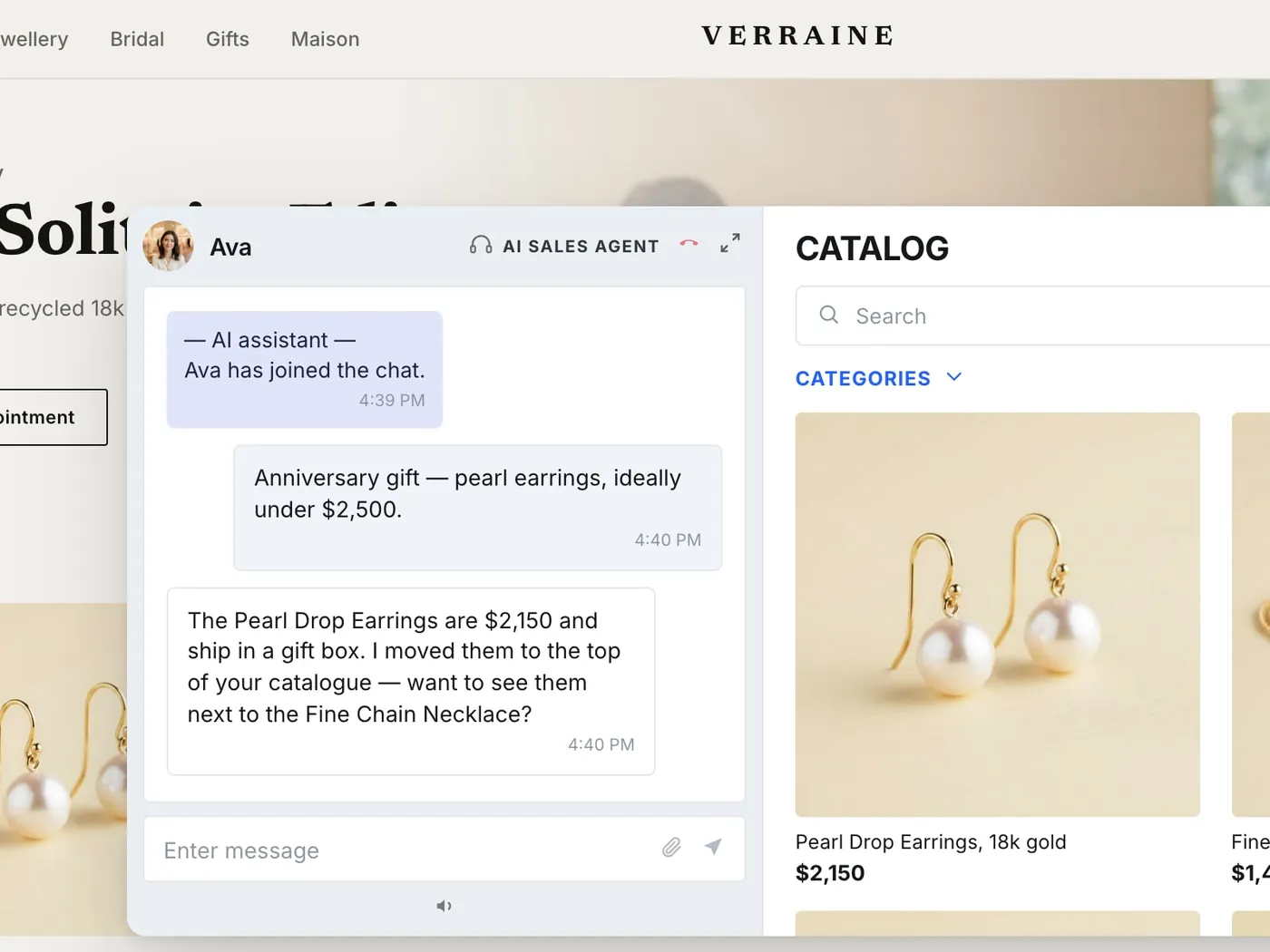
Platform Recommendation:
- Use consultation platforms (Immerss, Bambuser one-to-one)
- NOT broadcast platforms (too impersonal for luxury)
Case Studies
Case Study 1: Nutridome (Beauty & Supplements)
Company: Nutridome Industry: Beauty, cosmetics, dietary supplements Challenge: Expand online presence, increase mobile app engagement
Implementation:
- Integrated Monterail Live Shopping solution
- Mobile app with embedded live streaming
- Influencer-hosted product demonstrations
- Real-time Q&A functionality
- Seamless checkout within app
Strategy:
- Series of live streams featuring influencers
- Product demonstrations and applications
- Interactive Q&A sessions
- Special offers for live viewers
- Real-time inventory updates
Results:
- Increased app engagement
- Higher conversion rates than static product pages
- Reduced support inquiries (questions answered during streams)
- Successfully redirected traffic from website to mobile app
- Positive customer feedback on interactive format
Key Learnings:
- Influencer partnerships increase credibility
- Real-time demonstrations answer questions proactively
- Mobile-first approach resonates with target audience
- Interactive format builds brand loyalty
Two patterns worth copying
The two approaches below are not case studies and are deliberately not written as ones: they are shapes that recur, and the results a given store gets from them are the store’s own to measure.
Begin on the tools you already have. Validate on a platform where you already have an audience — Instagram Live, Facebook Live, TikTok — before paying for anything. The first streams are not a revenue exercise, they answer cheaper questions: can your team hold a camera for forty minutes, do your products read on screen, will anyone show up on a Tuesday. Move to a dedicated platform once you know the answers and the free tool is the thing holding you back, not your readiness.
Stream the questions your support desk already answers. Weekly explainer streams — unboxings, setup walkthroughs, side-by-side comparisons — work hardest for products that generate the same support ticket over and over. The stream answers the question before purchase instead of after it, which is the same reason it moves returns: a customer who understood the product before buying it is not the customer who sends it back. On a searchable platform the replay keeps answering long after the stream ends.
Future Innovations
1. Augmented Reality (AR) Integration
Current Limitation: “Will this sofa fit in my living room? What will it look like?”
Innovation Coming: During live stream, viewers point phone camera at their space. AR overlays product in real-time, perfectly scaled.
Use Cases:
- Furniture in rooms
- Art on walls
- Appliances in kitchens
- Clothing on your body
- Makeup on your face
Timeline: 12-24 months for mainstream adoption
Impact:
- Conversion increase: +15-25%
- Return rate decrease: -30-40%
- Purchase confidence: +60%
Technology:
- ARKit (iOS), ARCore (Android)
- WebAR for browser-based experiences
- 3D product models required
- Real-time rendering optimization
2. AI-Powered Personalization
Current Limitation: Every viewer sees/hears the same content regardless of preferences
Innovation Coming: AI analyzes viewer history and personalizes experience in real-time
Personalization Examples:
Audio Layer:
- Host: “This dress comes in S, M, L, XL”
- AI to viewer A: “Based on your past purchases, we recommend L”
- AI to viewer B: “This style similar to items you’ve bought before”
Visual Layer:
- Viewer A sees sustainable/eco badges (based on preferences)
- Viewer B sees “price reduced” badges (budget conscious)
- Viewer C sees “limited edition” badges (collector)
Product Recommendations:
- AI suggests products based on viewing behavior
- “Customers like you also bought…”
- Dynamic bundling suggestions
Timeline: 18-36 months for widespread availability
Technology:
- Machine learning recommendation engines
- Real-time behavioral analysis
- Dynamic content overlay
- Personalized notification systems
3. Virtual Try-On (Real-Time)
Current Limitation: Can see product on model, but not on yourself
Innovation Coming: Real-time virtual try-on during live stream
Use Cases:
Fashion:
- See clothing on your body type
- Adjust fit/size virtually
- Mix and match outfits
Beauty:
- Try makeup shades on your face
- See hair color changes
- Test different looks
Accessories:
- Try on jewelry
- See watches on your wrist
- Test eyewear styles
Timeline: 12-18 months for early adoption
Technology:
- Computer vision for body/face mapping
- Real-time rendering
- Accurate color matching
- Size/fit algorithms
4. Multi-Platform Simultaneous Streaming
Current Limitation: Stream on one platform, miss audiences on others
Innovation Coming: Broadcast simultaneously to multiple platforms
Platforms:
- TikTok
- YouTube
- Your website
- Mobile app
Benefits:
- 5x larger potential audience
- Platform-specific optimization
- Single production workflow
- Unified analytics
Technology:
- RTMP multistreaming
- Platform-specific encoding
- Synchronized delivery
- Aggregated analytics
Timeline: Available now, improving rapidly
Tools:
- Restream.io
- StreamYard
- OBS Studio with multi-output
- Custom solutions
5. Shoppable Video Replays
Current State:
- Some platforms offer this
- Becoming industry standard
Full Capability Coming:
- Entire stream becomes interactive video library
- AI-generated chapters
- Searchable by product
- Buy anytime, not just during live
Benefits:
- Revenue continues after stream
- Content library value increases
- SEO benefits (searchable video)
- Long-tail sales potential
Timeline: 6-12 months for universal adoption
6. Blockchain & NFT Integration
Innovation Emerging: Live shopping for digital collectibles and NFTs
Use Cases:
- Limited edition digital art
- Virtual fashion items
- Gaming assets
- Authentication certificates
Timeline: 12-24 months for mainstream
Impact: Creates new product categories for live shopping
7. Social Commerce Super Apps
Trend: All-in-one apps combining social + shopping + entertainment
Features:
- Follow favorite hosts/brands
- Personalized live shopping feed
- One-tap purchasing
- Social sharing
- Rewards programs
Examples:
- TikTok Shop (growing rapidly)
- Instagram Shopping (expanding)
- Dedicated apps (emerging)
Timeline: Next 2-3 years
Impact: Live shopping becomes default shopping experience
Getting Started Guide
For Small Businesses (starting on tools you already have)
Week 1: Validation
- Watch 10 live shopping streams in your industry
- Note what works and what doesn’t
- Identify 3-5 competitors doing this
- Assess your readiness (products, comfort on camera, audience)
Week 2: Minimal Setup
- Choose platform: Instagram Live (if you have followers) or Facebook Live
- Gather equipment:
- Smartphone with good camera
- Ring light ($50-100)
- Phone tripod ($30)
- Clean background
- Test stream to private audience
Week 3: First Stream
- Select 8-10 products to feature
- Create loose outline (not script)
- Promote via email + social (3 days advance)
- Go live for 30 minutes
- Track: viewers, engagement, sales
Week 4: Analyze & Iterate
- Review metrics
- Gather feedback
- Adjust approach
- Plan next stream
- Decide: continue testing or invest in platform
For Medium Businesses (ready to pay for a platform)
Month 1: Professional Setup
- Select dedicated platform:
- CommentSold for Facebook — subscription, tiered
- TikTok Shop (free) for TikTok audience
- YouTube Shopping for educational content
- Invest in equipment:
- Better camera ($500-1,000)
- Professional lighting ($300-500)
- Quality microphone ($200-400)
- Create branded streaming space
- Train team member as host
Month 2-3: Build Audience
- Stream weekly (consistent schedule)
- Promote across all channels
- Build email list of interested viewers
- Collaborate with influencers
- Test different formats
Month 4-6: Scale
- Increase to 2x/week
- Add second host or rotate hosts
- Expand product range
- Implement advanced features (polls, Q&A)
- Analyze ROI and optimize
For Enterprise (custom deployment)
Quarter 1: Strategic Implementation
- Evaluate enterprise platforms:
- Bambuser — subscription; check their own pricing page, the tiers have moved
- Custom solution
- Multi-platform approach
- Invest in professional production:
- Multi-camera setup
- Professional host/team
- Dedicated streaming space
- Full technical stack
- Integrate with existing systems:
- E-commerce platform
- CRM
- Marketing automation
- Analytics suite
Quarter 2-3: Scale & Optimize
- Multiple streams per week
- Category-specific streams
- Influencer partnerships
- International expansion
- Advanced personalization
Quarter 4: Innovation
- Implement AR features
- AI personalization
- Multi-platform streaming
- Shoppable replay library
- Data-driven optimization
Common Mistakes to Avoid
Mistake #1: Poor Technical Setup
- Low-quality video/audio
- Bad lighting
- Unstable internet
Solution: Invest in basics before going live. Test thoroughly.
Mistake #2: No Promotion
- Expecting viewers without marketing
- Last-minute announcements
Solution: Promote 7 days in advance. Use all channels.
Mistake #3: Too Scripted
- Reading from script
- Robotic presentation
- No authenticity
Solution: Use outline, not script. Be conversational and natural.
Mistake #4: Ignoring Chat
- Not responding to questions
- Missing engagement opportunities
Solution: Have dedicated chat moderator or co-host.
Mistake #5: Too Long or Too Short
- 10-minute streams: not enough value
- 90+ minute streams: viewer fatigue
Solution: Aim for 30-60 minutes. Test what works for your audience.
Mistake #6: No Follow-Up
- Stream ends, no further engagement
- Missing post-stream sales opportunity
Solution: Email viewers, share replay, continue conversation on social.
Resources & Tools
Live Shopping Platforms
Social Media Native:
- Instagram Shopping
- TikTok Shop
- Facebook Live Shopping
- YouTube Shopping
Dedicated Platforms:
- CommentSold — subscription, tiered
- Bambuser — subscription; their published tiers have changed more than once, so read their pricing page rather than a comparison post
- NTWRK (invitation/commission)
- Immerss — per-module, quoted against your setup
Multi-Platform Tools:
- Restream.io
- StreamYard
- OBS Studio (free)
Equipment Resources
Cameras:
- Budget: Logitech C920 webcam ($100)
- Mid: Sony ZV-1 ($800)
- Pro: Sony A7 series ($2,000+)
Lighting:
- Budget: Neewer ring light ($50-100)
- Mid: LimoStudio LED panels ($200-400)
- Pro: Aputure LED system ($800-2,000)
Audio:
- Budget: Blue Yeti ($130)
- Mid: Rode PodMic + interface ($300)
- Pro: Shure SM7B + interface ($600)
Analytics Tools
- Google Analytics (free)
- Mixpanel (freemium)
- Amplitude (freemium)
- Platform native analytics (included)
Learning Resources
Books:
- “Live Shopping: The Future of Retail” (various authors)
- “Social Commerce Handbook”
Online Courses:
- Shopify Academy: Live Shopping
- YouTube Creator Academy
- Platform-specific training
Industry Reports:
- McKinsey: Live Commerce Analysis
- Statista: Live Shopping Statistics
- Grand View Research: Market Reports
Conclusion
Live shopping technology represents a fundamental shift in retail commerce. With 30% average conversion rates (10x better than traditional e-commerce), $600 billion market size by 2025, and 21.2% annual growth, the evidence is clear: live shopping is not a trend—it’s the future.
Key Takeaways:
-
Start Now: First-mover advantage is real. Early adopters build audiences and expertise.
-
Test Cheaply: Use Instagram or TikTok to validate before investing.
-
Invest in Basics: Good lighting, audio, and internet are non-negotiable.
-
Be Authentic: Conversational, real presentations outperform scripted ones.
-
Measure Everything: Track metrics, optimize based on data.
-
Stay Current: AR, AI, and personalization are coming fast.
The window for early adoption is closing. Brands that master live shopping in 2024-2025 will dominate their markets in 2026 and beyond.
The question isn’t whether to adopt live shopping. It’s how quickly you can get started.
For consultation-based video commerce for luxury retail, visit immerss.live
Last updated: November 2025